Removal and installation of holder with motor and gear unit
WIS 77-180
If the Drive Cable Control Can be Removed
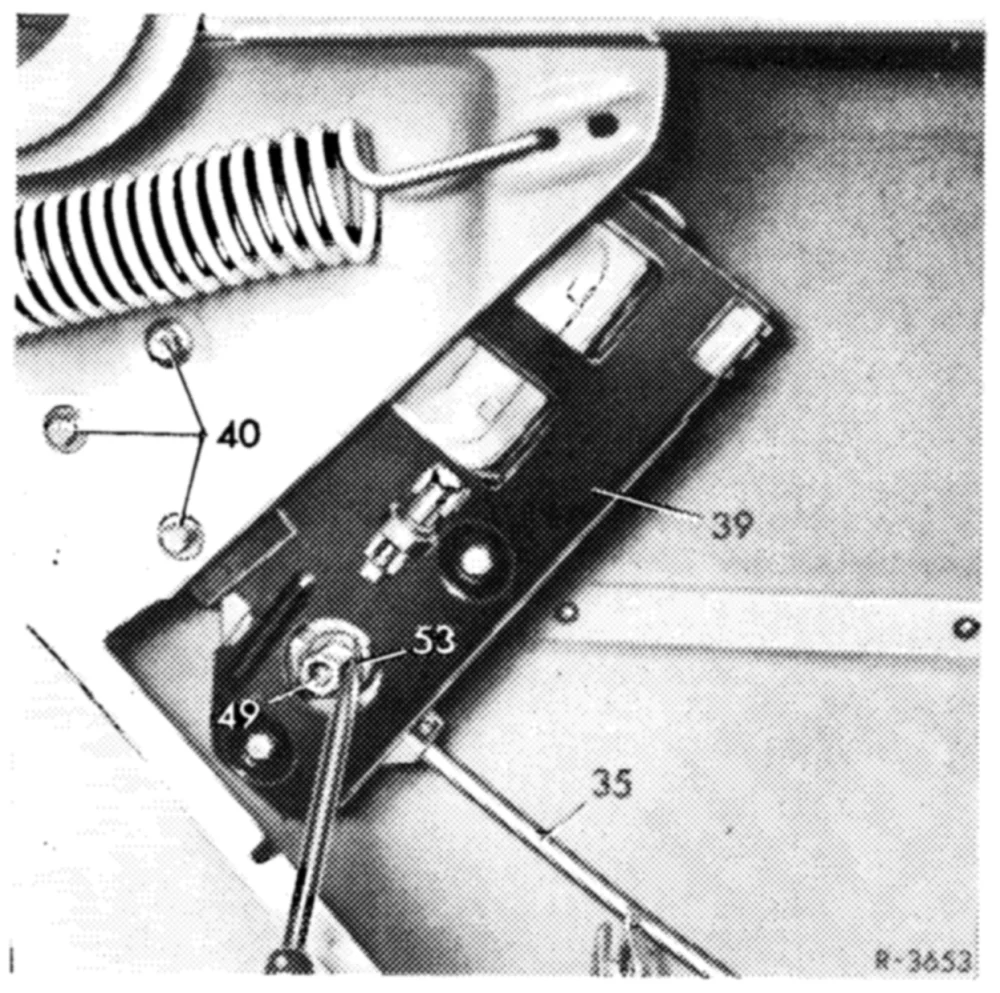
Removal
1 Remove drive cable contro! (77— 140).
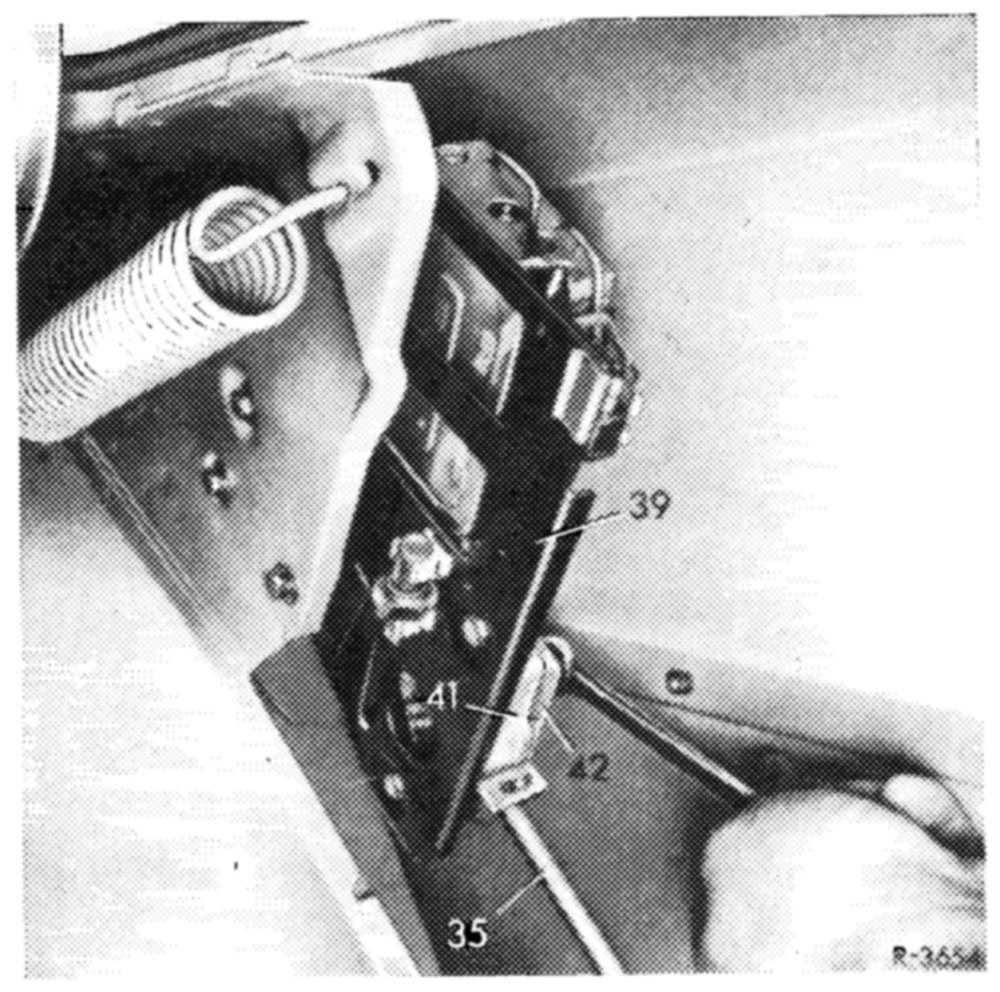
2 Separate outlet pipe (35) from gear unit.
3 Loosen fastening screws (40) of holder (39).
4 Disconnect electric connection.
5 Separate holder with motor and gear unit from drive cable tube and remove.
Installation
6 For installation proceed vice versa. (shown on Model 114/115)
If the Drive Cable Control Cannot be Removed
Removal
Note: First try to remove drive cable control as desribed in Job No. 77-140. If this is impossible, disassemble drive gear.
1 Loosen lock (53) of counter nut (49) on gear unit and unscrew counter nut.
2 Remove holder (39).
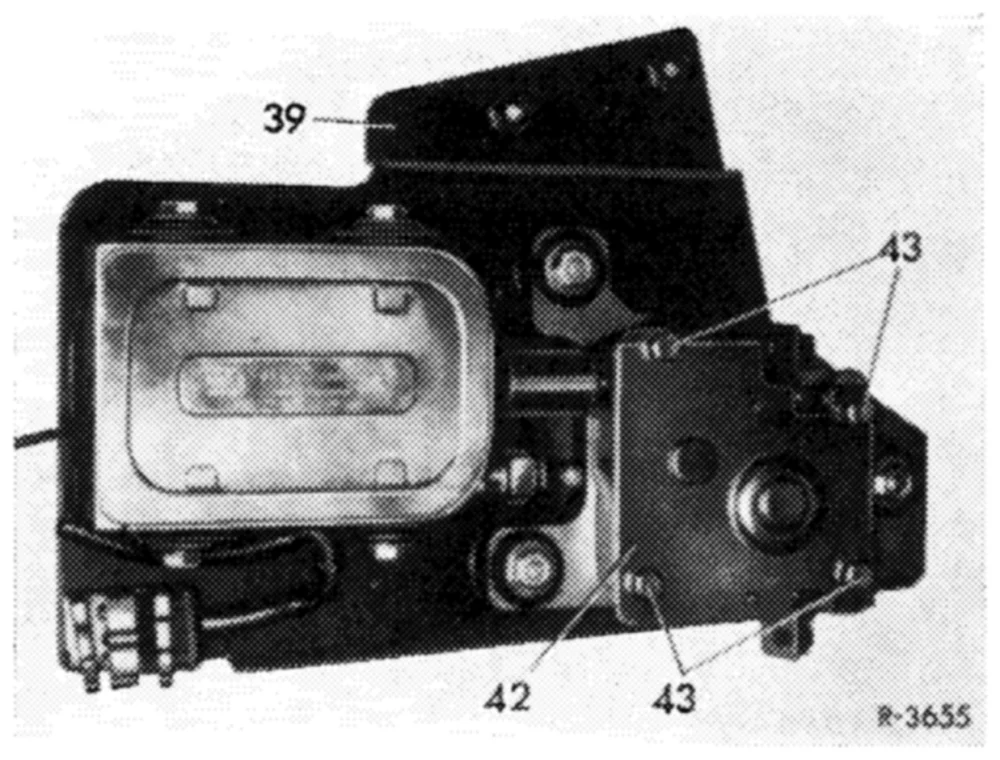
3 Screw fastening screws (43) out of gear unit cover (42),
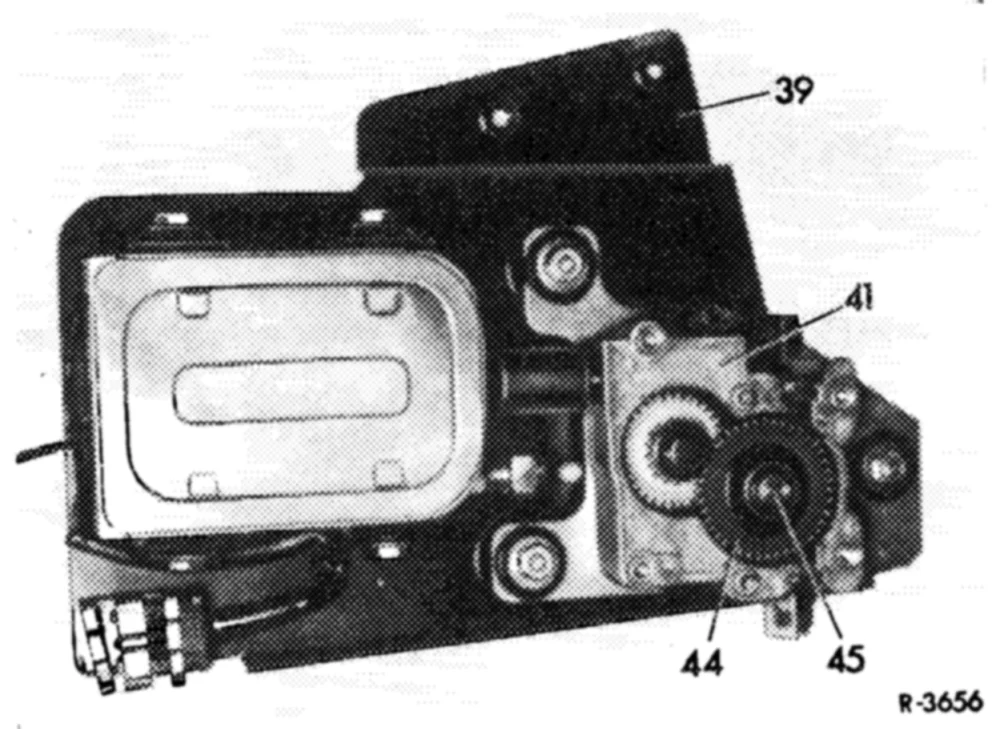
4 Remove gear unit cover (42) and take off large gear wheel (44) including drive shaft (45),
5 Disconnect drive cable tube and outlet pipe (35) from gear unit.
6 Remove drive cable control (27) (77—140).
Installation
7 Assemble gear unit.
8 Install holder with motor and gear unit.
9 Install drive cable control.
Attention! At end of assembly jobs, the slip coupling on gear unit must be readjusted (77–190).