Checking switch
WIS 54-515
1 Check brake light for function.
2 Disconnect green plug connection from control unit to switch by removing lefthand cover from under instrument panel.
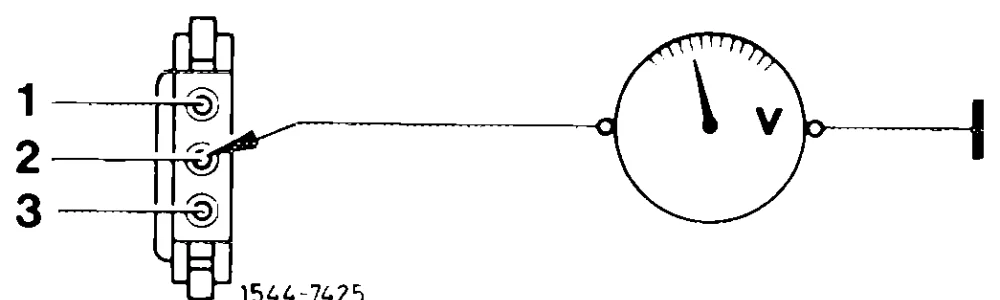
3 Switch on ignition.
4 Connect volmeter to green plug for switch line-up 2 (blue) and to vehicle earth (ground connection). In switch position ‘‘ON” battery voltage must be indicated.
5 If the voltmeter indicates no voltage, check connection of line harness at brake light switch and at switch (refer to wiring diagram 54—580).
6 If connections are in order, replace switch.
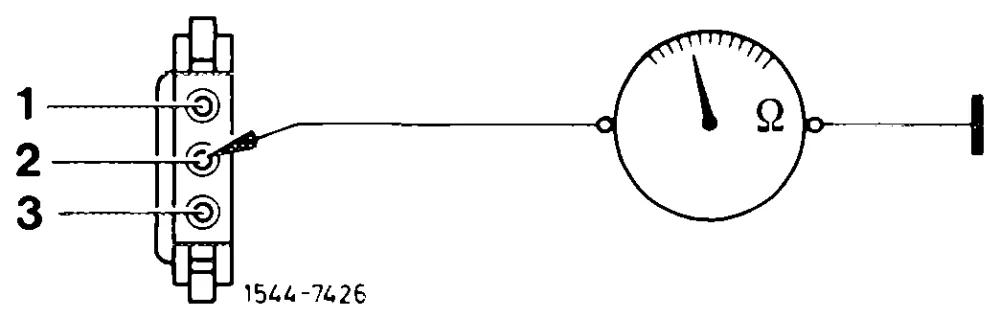
7 Switch off ignition.
8 Connect Ohmmeter to green plug for switch lineup 2 (blue) and to vehicle earth (ground connection). In switch position “SET—ACCEL” the resistance should amount to 680 Ohms.
9 Jf this value is not attained or exceeded, replace switch.